Step 2: Create an RStudio Cloud account
The page will show how to create a RStudio Cloud account. You will be able to use this software on your browser.
Go to https://posit.cloud/plans/free (make sure you choose “free account”).
Click on “Sign up.”
Put a password (at least 10 characters, with upper and lower case letters, a number, and a special character).
Type your first and last name.
When you click “Sign up” you will receive an email for verification.
Go to your email inbox and click “Verify.”
You will be directed to Go to https://posit.cloud. If not, click on the link.
Click on “New project” ➜ “New RStudio Project.”
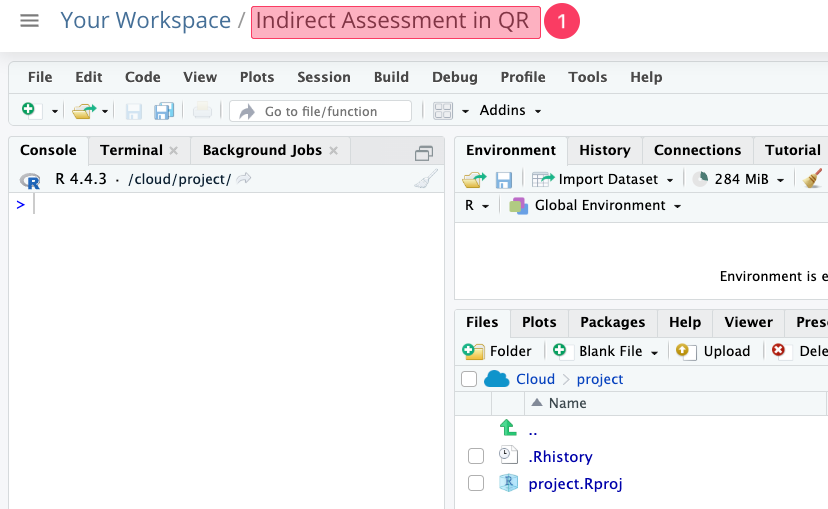
Wait for a minute or so until you see the screen below.
Click on “Untitled Project” (see highlighted part # 1) and type “Indirect Assessment in QR.”